


A creative brief tells whoever makes your work what it has to do, for whom, and by when. A usable one fits on a page and carries seven fields: the outcome, the audience, the one must-say line, the references with reasons, the deliverables with sizes, the hard constraints, and a real deadline. Most briefs fail on two of them. They describe the asset instead of the outcome, and they attach a reference without saying what to take from it.
The first cut you get back is a direct read of the brief you sent. When an editor guesses the tone or picks the wrong hero shot, the usual response is to add a review round. The cheaper fix is upstream. We take briefs from marketing teams every day, and the ones that come back right first time all look the same.
Here is what goes in them, and the seven fields to copy.
What a brief has to do
A brief is not a description of the asset. It is the set of decisions the maker is not allowed to invent.
Think about what an editor actually has to choose when they open your footage. Which story to tell. Which of the four takes of the same line to use. Whether this is a confident brand piece or a plain explainer. Whether the logo lands at the top or the end. Whether 90 seconds is a ceiling or a target. Every one of those is a decision. Your brief either makes it, or hands it over.
That is the whole test. Read your brief back and count the decisions it leaves open. Each one is a place the first cut can legitimately come back different from the thing in your head, and each one costs a round to fix. Our creative review process post covers what to do with the rounds you do have. This post is about not needing them.
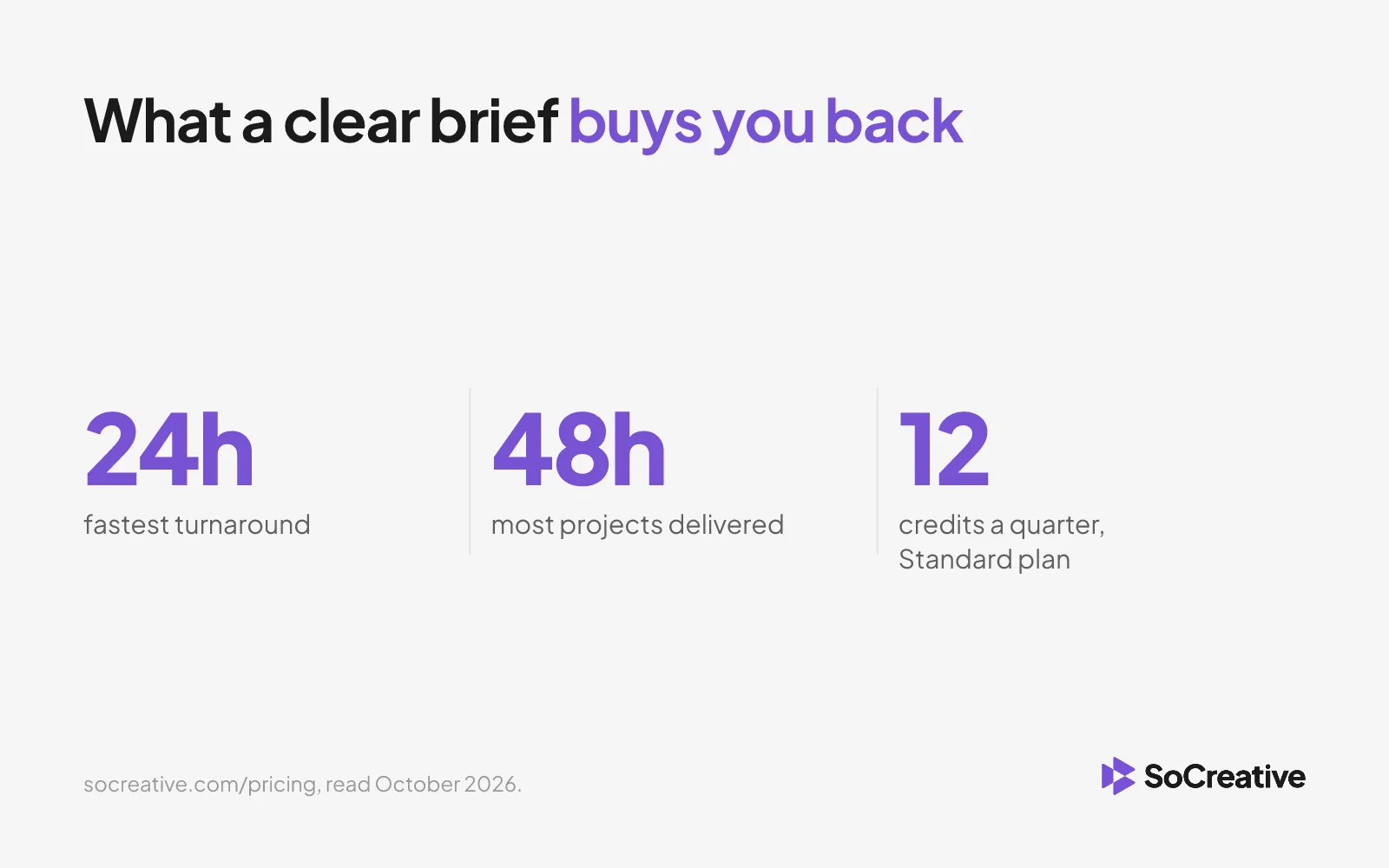
Speed is a function of this. Our plans are built around turnaround from 24 hours, with most projects delivered in 48, and the single thing that decides whether a project hits that is whether the brief arrived complete. A brief with three open decisions does not get delivered in 48 hours. It gets a question thread.
Launch week,coveredAds, cutdowns and social assets for every
channel, delivered in days, not weeks.Book a demo

The seven fields
Seven details belong in every creative brief. In this order.
- The outcome, in one line. Not "a 60 second brand video". What has to be true after someone watches it. "A finance lead who has never heard of us understands what we do and books a demo." The outcome governs every other choice, which is why it goes first.
- The audience, specifically. Job title, what they already believe, and what they are skeptical of. "Marketing managers at 200 to 2,000 person B2B companies who think outsourced creative means losing brand control." That sentence changes the script.
- The one must-say line. The single sentence that has to survive the edit intact, word for word. Not five key messages. One. Everything else can be cut, rephrased or reordered; this cannot.
- References, with the reason. The field most briefs get wrong. A link on its own means "match this", which is almost never what you want. Say what to take: "this one for pacing, not the color grade" or "the way they open on the problem before the logo". A reference without a reason is a trap.
- Deliverables, with sizes and where they run. Every cut, every ratio, every platform. "One 60 second 16:9 for the site, one 30 second 9:16 for LinkedIn, one 15 second 1:1 for paid." The ratios are not a matter of taste: YouTube publishes the resolutions and aspect ratios it expects and LinkedIn publishes its own for video ads, and they are not the same. Listing these at the start costs a minute. Discovering the 9:16 after the edit is locked costs a round, because the framing was never shot for it.
- The constraints that are real. Brand rules that cannot bend, legal lines, the logo lockup, music licensing, anything that has to be approved by someone outside the team. Put the ones that will actually get the work sent back, not the whole guideline deck. If a font is non-negotiable, say so here rather than in round two.
- The deadline, and what it is for. A date with a reason attached behaves differently from a date on its own. "15 November, because it opens the sales kickoff" tells an editor what to protect if time gets short. "ASAP" tells them nothing and gets treated accordingly.
That is the format. One page, seven headings, filled in before anyone opens a timeline.
A weak brief and a strong one
Here is a real shape of brief we see, cleaned up and anonymized.
Weak:
Need a brand video for the new campaign, around a minute. Something modern and energetic, similar vibe to the Apple ad. Use the footage from the Sydney shoot. Needs to feel premium. Deadline end of month.
Count the open decisions. What the video has to achieve. Who it is for. Which message survives. What "similar vibe to the Apple ad" means, given how many Apple ads there are to choose from. Which Sydney footage. What "premium" looks like against your brand. What "end of month" is protecting. Nine decisions handed to someone who has never met your customer.
Strong:
Outcome: a marketing manager who has not heard of us understands what we do in 60 seconds and books a demo. Audience: marketing managers at 200 to 2,000 person B2B companies, skeptical that outsourced creative keeps brand control. Must say: "Your brand, your team, our production network." References: [link] for the pacing, cuts on the beat, not the color grade. [link] for how they open on the problem before any logo. Deliverables: 60s 16:9 for the homepage, 30s 9:16 for LinkedIn, 15s 1:1 for paid. All with captions. Constraints: brand font and logo lockup as per guidelines, no stock music with vocals, legal signs off any customer name on screen. Deadline: 15 November, opens the sales kickoff. If time is short, protect the 60s and ship the cutdowns a week later.
Same project. Same length. One of them produces a first cut you can use.
Notice the last line of the strong brief. Telling the editor what to sacrifice when time runs out is the highest-value sentence in the whole document, and almost nobody writes it.
Make the brief the same every time
The seven fields matter less than the fact that they do not change between projects.
When every brief has the same shape, an editor reads it in the order they make decisions, and a reviewer can tell at a glance what is missing before work starts. When each brief is a fresh email written in a hurry, every project begins with a round of questions, and the questions are different every time.
This is also what keeps work consistent across more than one maker. If two editors get two differently shaped briefs for the same campaign, you get two interpretations, and brand drift is the result rather than the cause. We wrote about that in keeping brand consistency across multiple video editors.
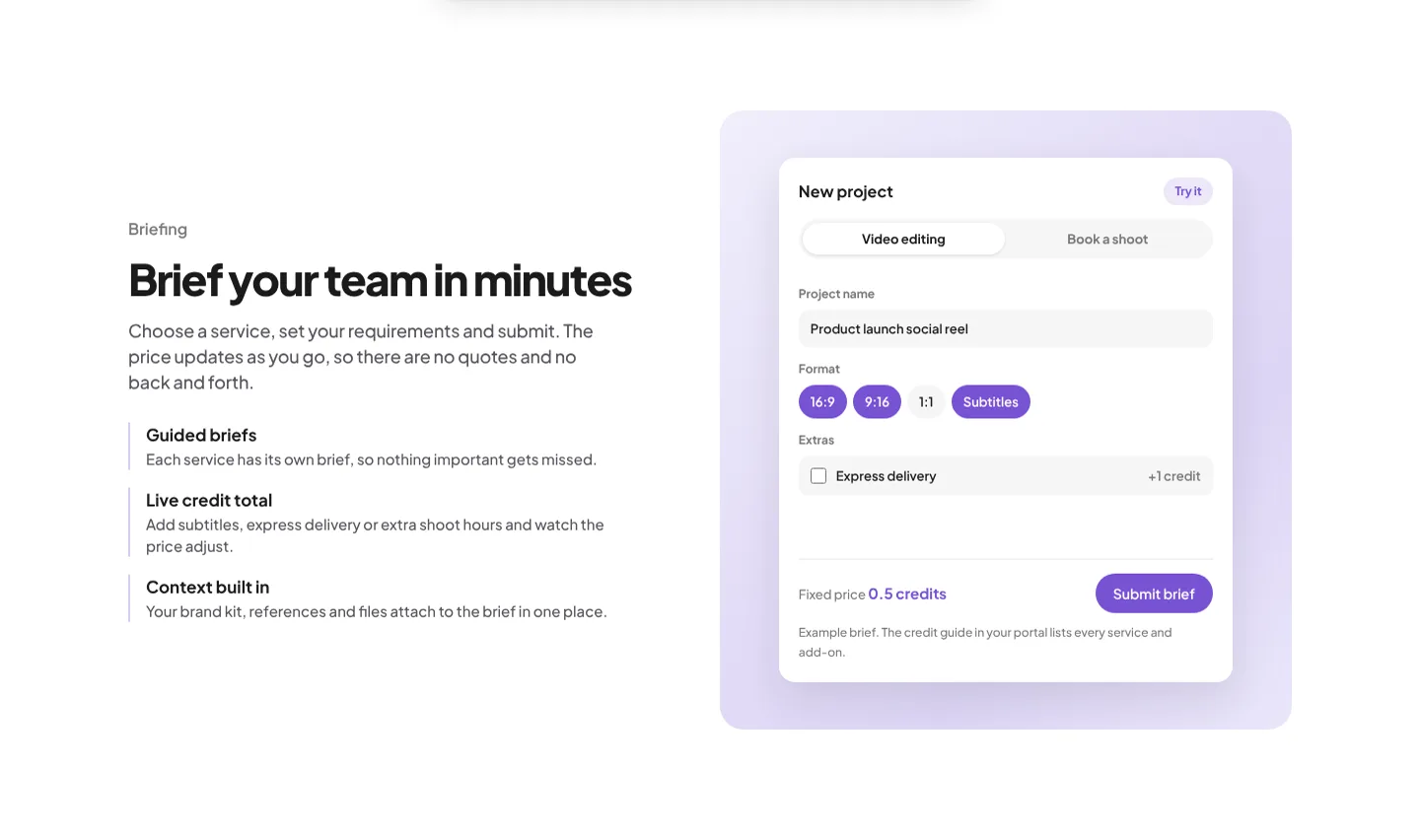
Our platform enforces this on purpose. A brief for video production is a structured form, not a free text box, so the fields cannot be skipped and the same information reaches whoever picks the job up. That is the boring part of why work comes back right, and it is a decision about process rather than a feature.
The honest trade-off: a structured brief takes longer to write than an email. Fifteen minutes against two. If you commission one video a quarter, the email is fine. If you are running a content calendar across several makers, those thirteen minutes are the cheapest thing you will buy all month.
Frequently asked questions
What is the format of a creative brief?
One page, seven fields, in this order: the outcome in one line, the audience, the one must-say line, references with the reason each is included, deliverables with sizes and placements, hard constraints, and the deadline with what it is protecting. Anything longer stops being read, and anything shorter leaves decisions open.
What seven details should be included in a creative brief?
The outcome, the audience, the must-say line, the references with reasons, the deliverables with sizes, the real constraints, and the deadline with its purpose. Those seven cover every decision a maker would otherwise have to guess.
How long should a creative brief be?
One page. If it runs longer, it is usually carrying background that belongs in an attachment, or repeating the same message in five phrasings. The useful test is whether someone can read it in two minutes and start work.
What is the difference between a creative brief and a project brief?
A project brief covers scope, budget and timing. A creative brief covers the decisions about the work itself. Large projects need both; most single assets need the creative one, with the deadline and deliverables folded in.
Do I need a different brief for video and design?
The seven fields are the same. Video adds deliverable lengths, ratios and captions; design adds file formats and where each asset is placed. The structure does not change, which is why one template covers both.
Where to start
Take your next brief and check it against the seven fields. Most teams find they already have four of them and have never written the other three down, usually the must-say line, the reason behind each reference, and what to protect if the deadline tightens.
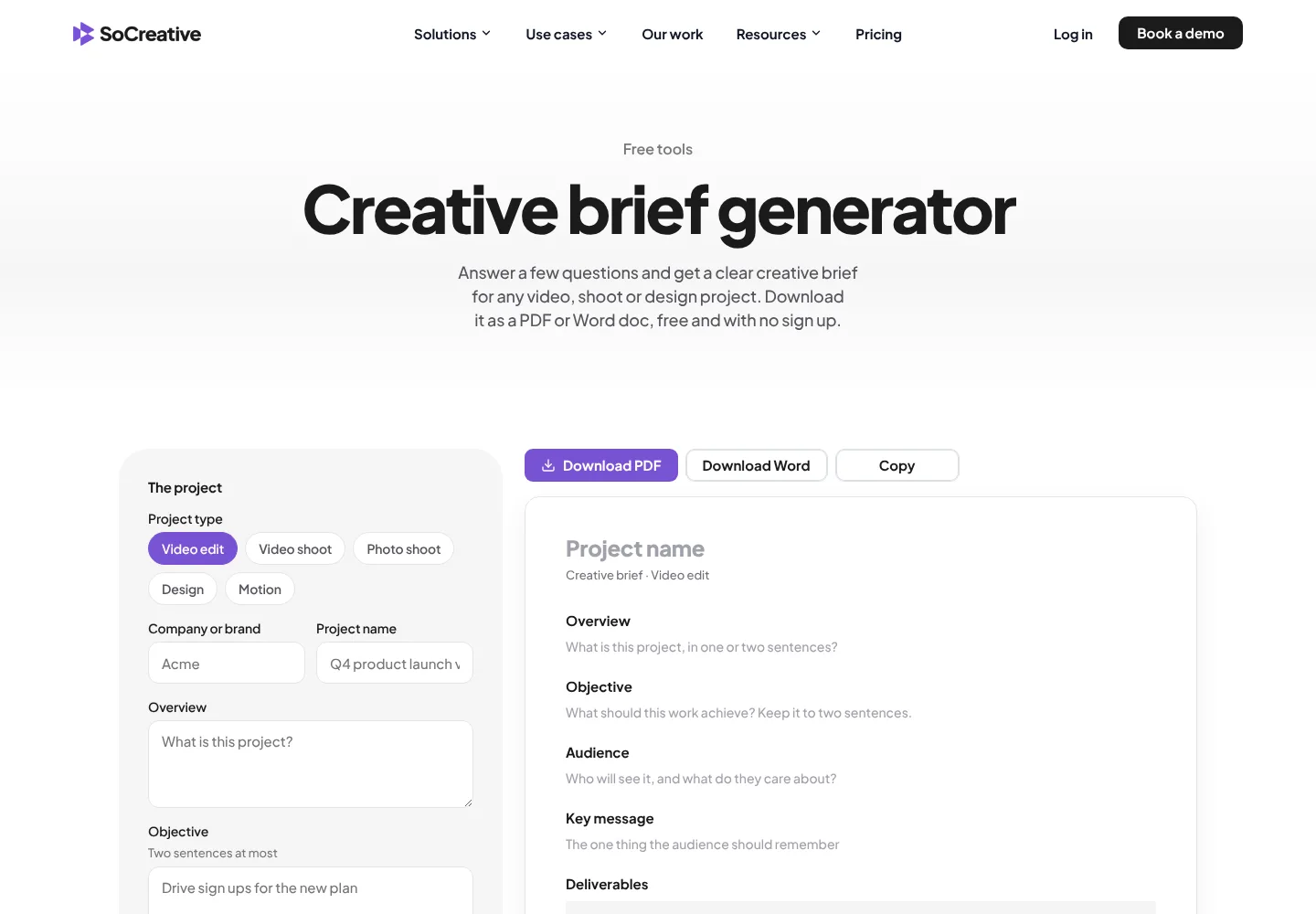
If you would rather not start from a blank page, our free creative brief generator walks the same ground in more detail, from the objective and the audience through to the mandatories, the budget and who signs it off, and hands back a finished brief as a PDF or a Word file. No sign up.
Write those three in. Send the same shape next time. The round you save is the one you were going to spend explaining what you meant.
Feedback onthe exact frameTimestamped comments, one approver
and every version in one place.Book a demo